How to configure outgoing call routes
Question or Case description
To make outbound (external) calls through your PBX system, you need to configure outgoing call rules. These rules define which calls should go out (for example, calls to 10-digit numbers) and which trunk (connection to the outside phone network) should be used.
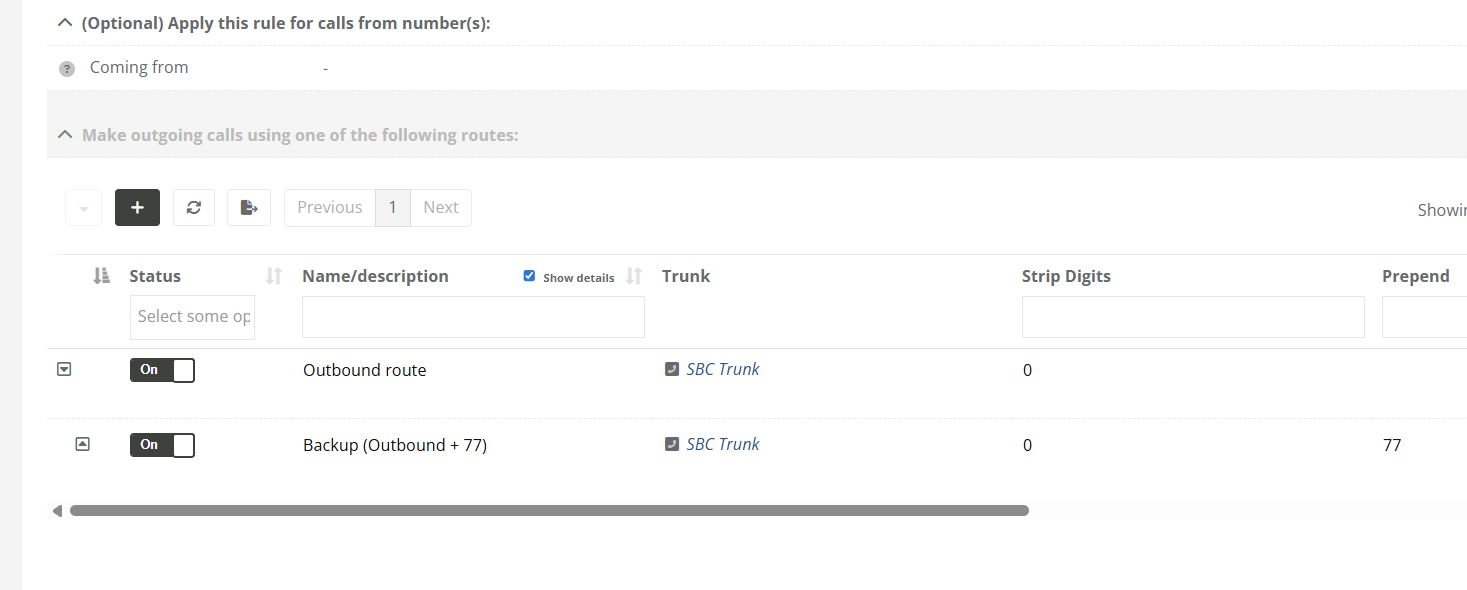
Each rule can have one or more routes. A route tells the system which trunk to use for the outgoing call. You can also adjust the number before sending it out (for example, by removing or adding digits). If the first route fails, backup routes can be used automatically.
This manual explains how to set up outgoing call rules and attach one or more routes to them.
Solution / Resolution / How To
Describe how to fix it, how to validate an observation or describe how to configure a specific case. Only use one title, solution, resolution or How-to
|
|
|
|
|
|
|
|
|
|
|
|
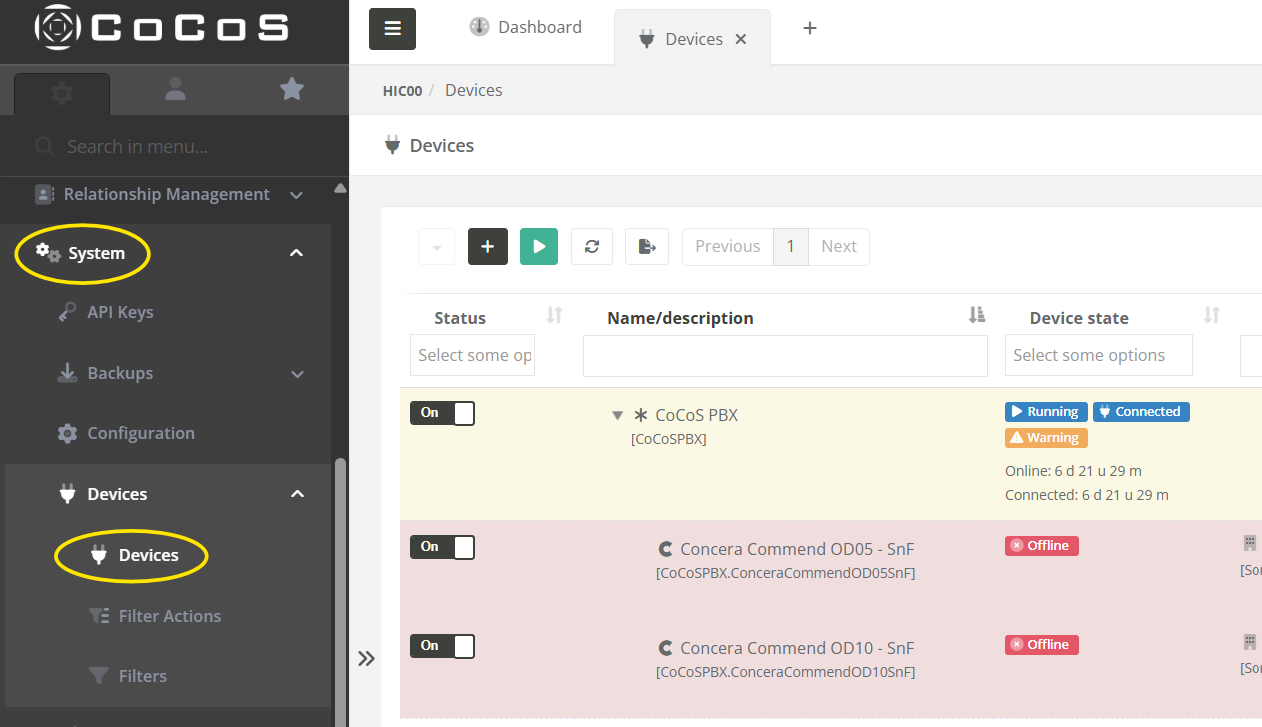
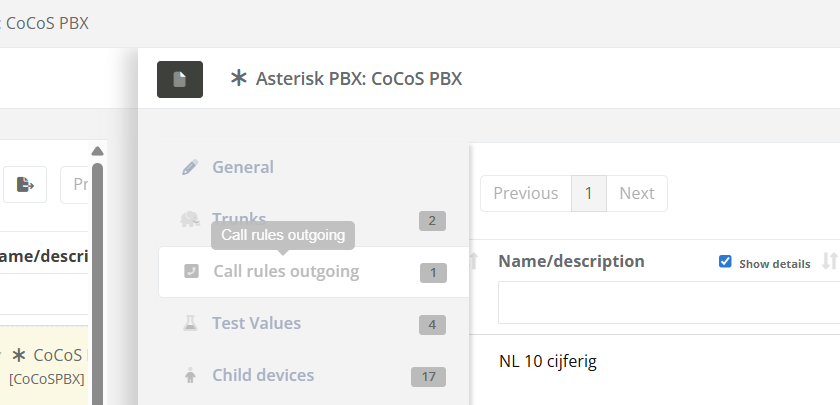
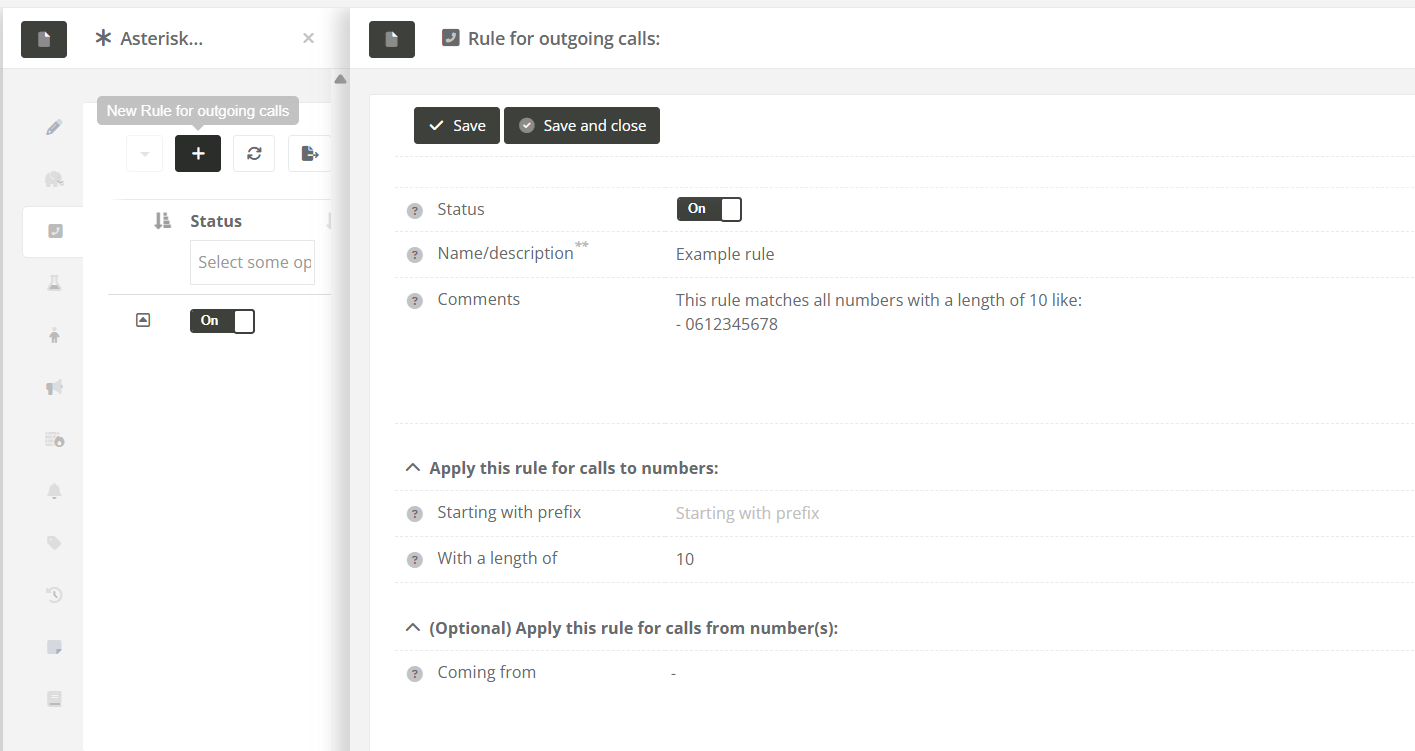
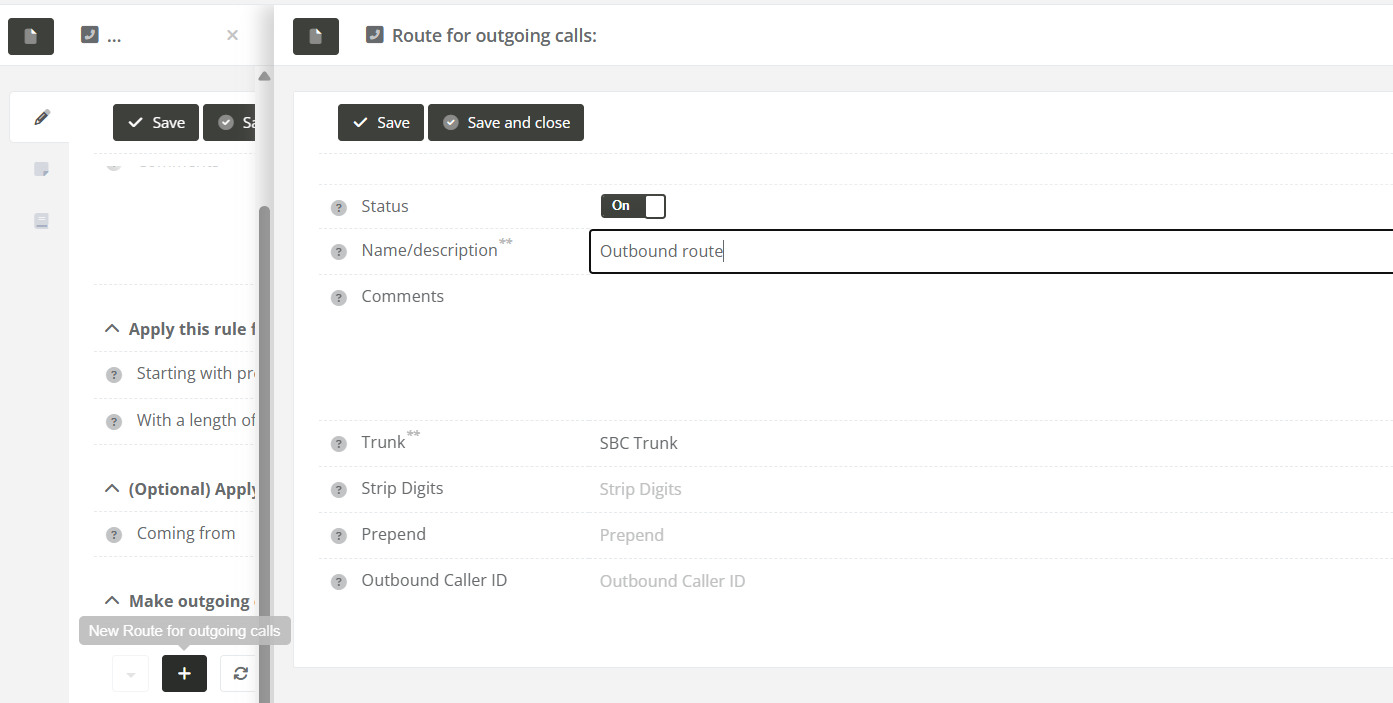
Tips
- Routes are tried in the order they appear. If one route fails, the next one is used.
- Keep your matching rules specific to avoid sending calls to the wrong trunk.
How to Identify and Fix Problematic Call Rules
In the Outgoing Call Rules overview, you may sometimes see warnings or errors next to certain rules. These indicate that a rule isn't working properly and will be skipped when trying to place an outgoing call.
These issues are clearly marked using icons and colors:
-
Warning (⚠️) – Something is missing, but the rule might still work under certain conditions.
-
Error (🚫) – The rule is not usable and will be completely skipped.
Note: When a rule has an error icon (🚫), it will be ignored entirely by the system when trying to place a call.
Below are the most common warning and error types, how to recognize them, and how to resolve them.
1. No outbound routes
Description: The rule does not have any routes configured. Without routes, the system doesn't know how to send the call out.

How to fix: Edit the rule and add at least one valid outbound route.
2. Outbound route(s) in error
Description: One or more routes use a trunk that is unavailable or has an error.

How to fix: Check the status of the trunk(s) and fix any connection issues. You can also assign another working trunk to the route.
3. Invalid source device
Description: The device listed under "Coming from" is turned off or currently in an error state.

How to fix: Make sure the source device is online and functioning correctly.
Test & Validate
After fixing any of the above issues:
- Refresh the Outgoing Call Rules list.
- Verify that the icons and color warnings are gone.
- Place a test call to confirm the rule works correctly.