How-to configure alternate rules/forwards when dialing to a relation/contact.
Question or Case description
This guide describes how to configure a relation/contact at CoCoS, so schedules or more advanced options can be used to create conditions based on which a call to a relation has to be forwarded elsewhere. The call to a relation can be initiated by, for example, a buttonpress at an intercom station (see also: https://knowledgebase.cocos.software/books/cocos-knowledgebase/page/how-to-configure-callhandling-based-on-a-received-buttonpress-from-an-intercom) or an action from a SearchAndFind application (see also: https://knowledgebase.cocos.software/books/cocos-knowledgebase/page/how-to-add-an-entry-relation-to-searchandfind-including-callhandlingforwarding).
When nothing is configured at a relation, the callHandling will be straight forward: When the call is initiated, the relation will be called on the configured number. By adding exceptions, under certain conditions such as a schedule, it is possible to exclude calls from the relation and forward them elsewhere.
How To
| Step 1: Navigate to "Relationships / Relations". Optionally, when dealing with hierarchy, open the existing relation the relation to create belongs to or use the search field in the header of the main list to find the relation. | |
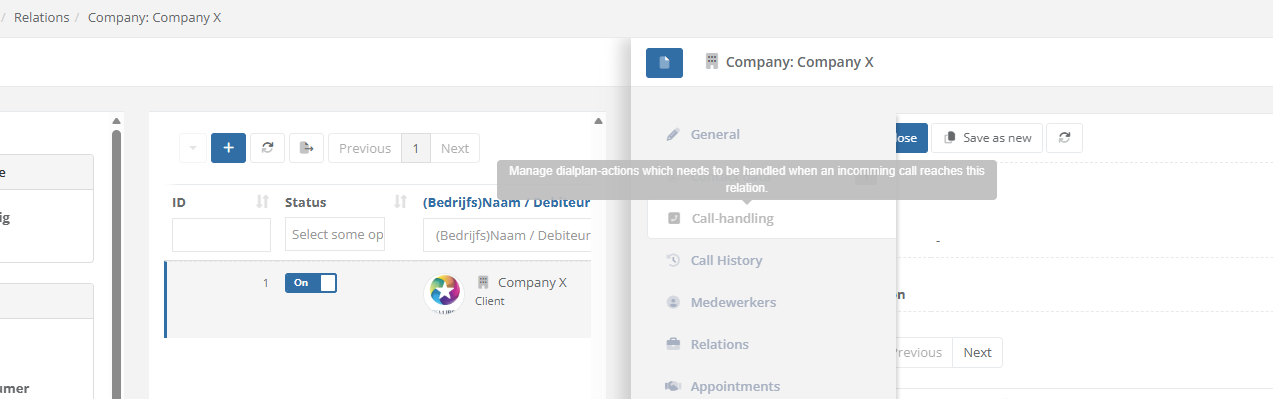
| Step 2: Open the relation and nativate to tab "Call handling" to add custom dial plan rules/actions for the relation. |
|
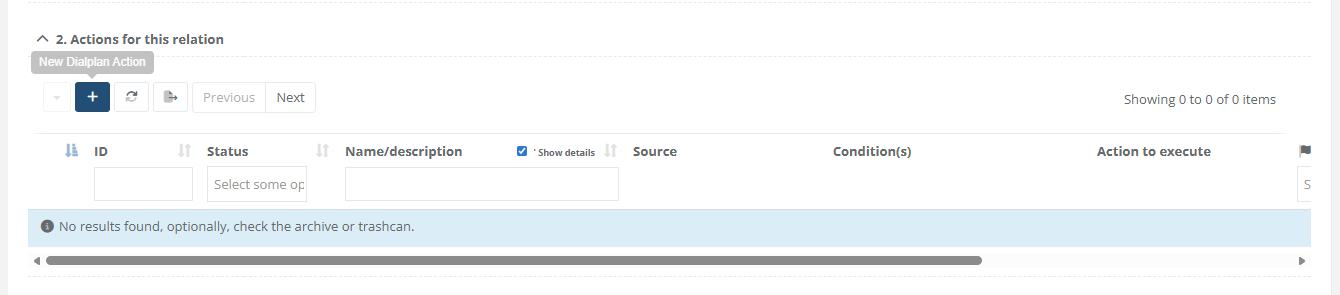
| Step 3: Use the [ + ] button under "2. Actions for this relation" to add a new action. |
|
|
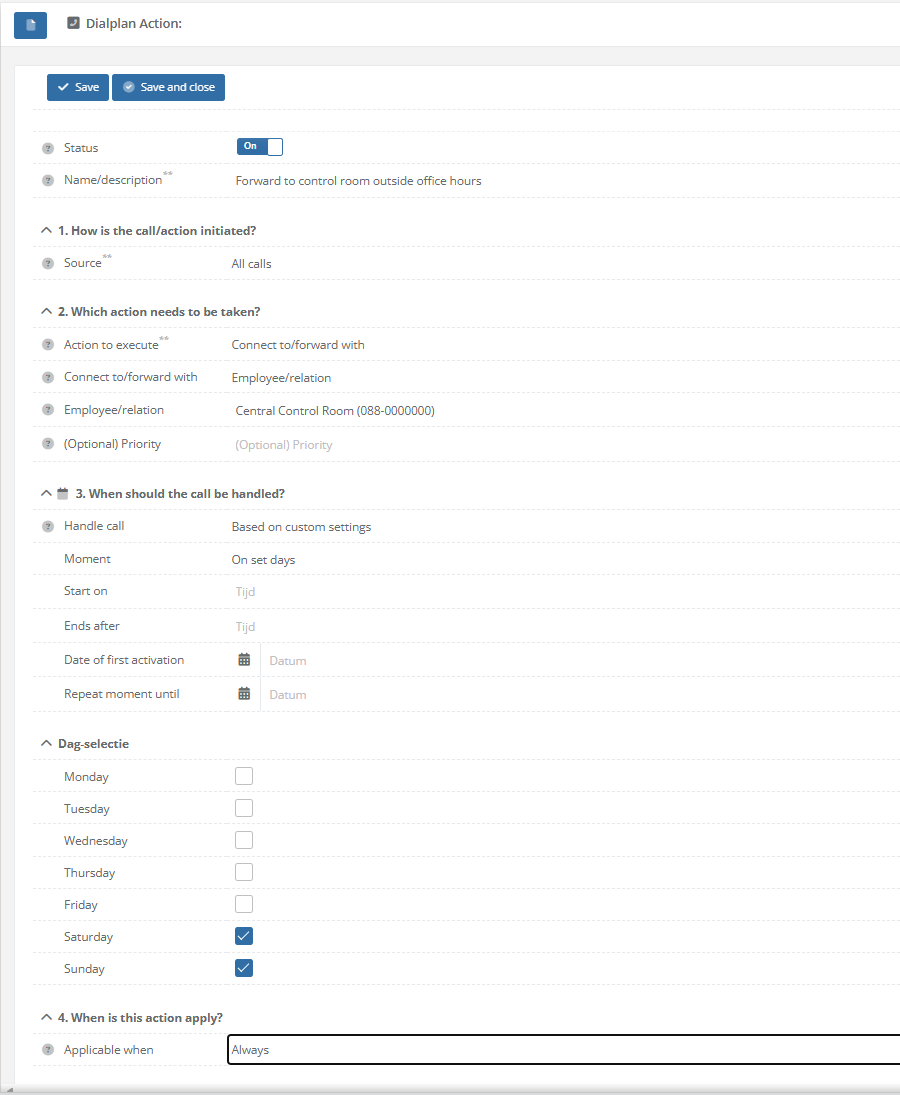
Step 4: Configure the dial plan action based on the desired funtionality. This can be:
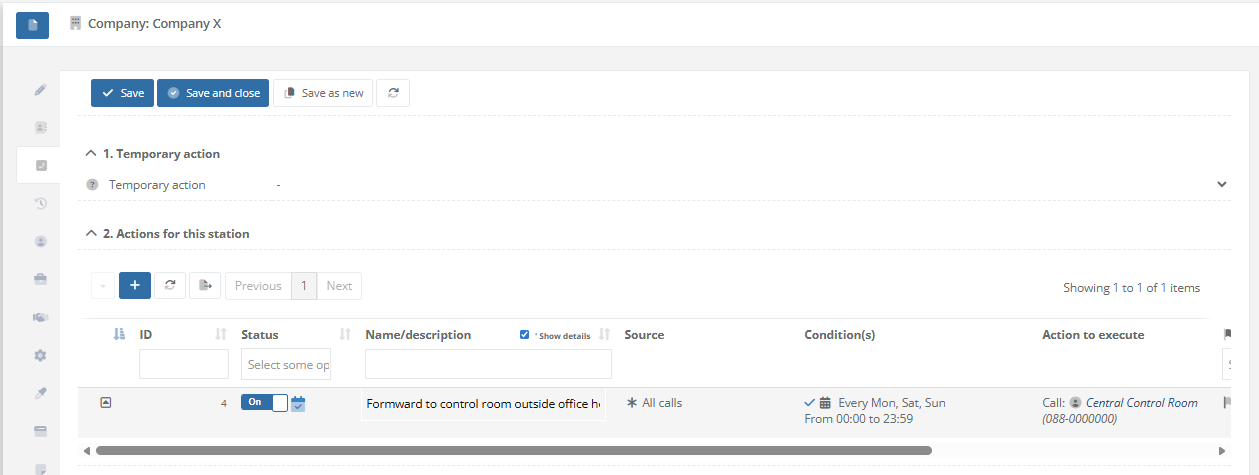
In the example, we configure to forward calls to a Central Control Room (Dutch: Meldkamer) on set days, in this case Saterday and Sunday
* Besides forwarding, it's also possible to select option "Hang up/abort call", like in the example below:
|
|
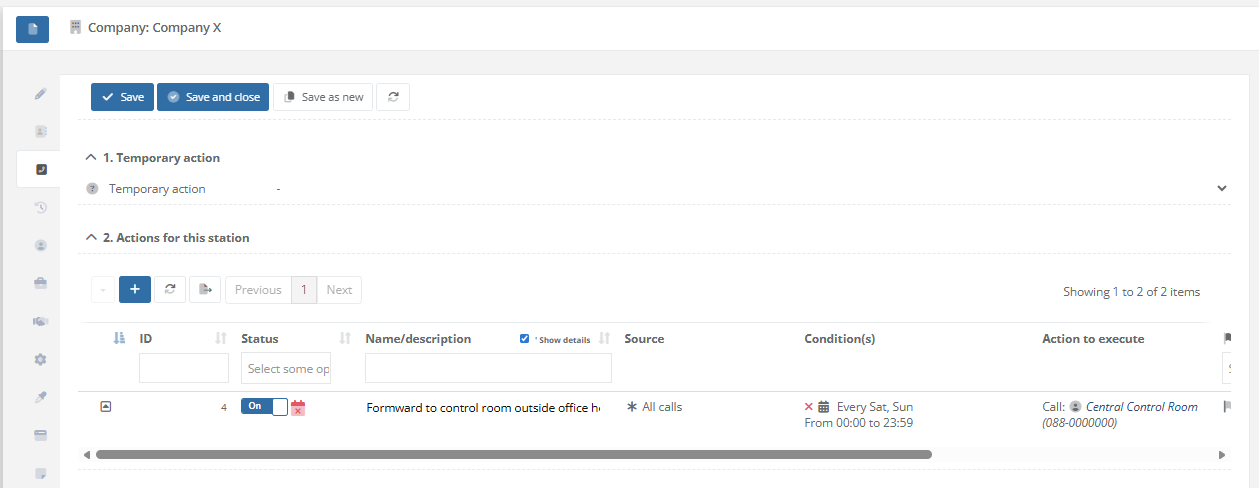
| Step 5: Save the dialplan action. Tab "Call-Handling" at the relation will now display that "Central Control Room" is called every Saterday and Sunday. The calendar icons at the start of the row indicate whether or not the rule is active. When the icon is red, this means the schedule doesn't meet the current date/time, so the rule won't be executed/handled. When the icon is blue, this means the schedule meets the current date/time, and the rule will be executed/handled (if no other conditions are specified). |
|
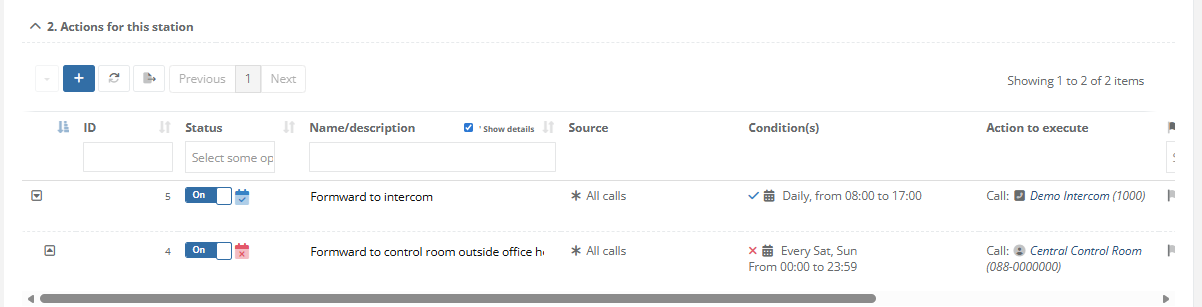
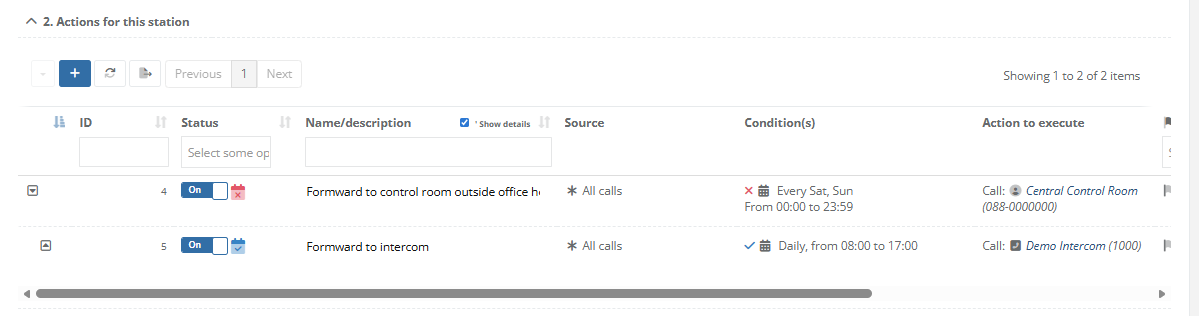
| When adding multiple rules, the first rule that matches the specified conditions will be executed. By ordering the rules using the arrows (up and down), there positions can be changed. In the first example, the means that the call will be forwarded to intercom station 1000 every day between 08:00 and 17:00. No matter what day is it, when this rule matches, the call will be forwarded to the intercom, this also includes weekends. In the second example, the call will be forwarded to the "Central Control Room" on Saterday and Sunday. When this rule doesn't match, the second rule will be examined. Based on that rule, the call will be forwarded to intercom station 1000 between 08:00 and 17:00, which will only be executed during |
Example #1:
|