
How To Control a Relay on a Commend ET908H SIP using a CoCoS Script
Case description
To control an output on a Commend ET908H device we can use the Commend ET908H API. To enable the API / webhooks on the ET908H please consult the device manual. The outputs can used to open a door, open a gate, switch on light etc.
Application
To control an ouput on the ET908H, in an standard IoIP system setup by using and ICX message. But when the ET908H is configured in SIP mode the direct addressing is disabled. To control the output a webrequest is required. Depending on the version of CoCoS, this is done using a direct outbound webhook linked to a trigger, or by using a script that is linked to a trigger or DTMF in a dial plan. This how-to describes the use of a script.
Solution / Resolution / How To
1. Create script for output control
For controlling relays/outputs on our ET908H we have to create a script.
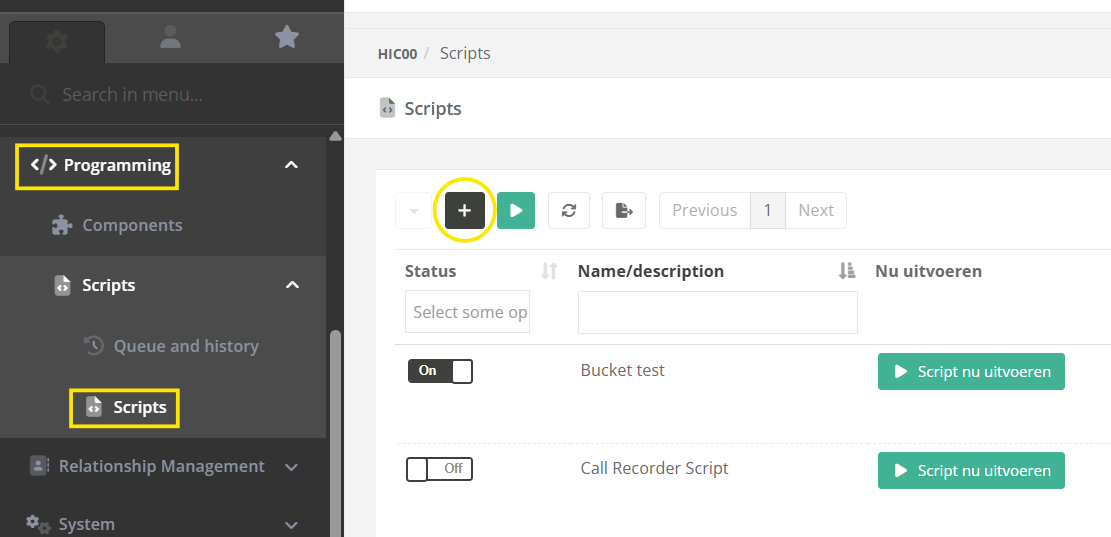
| Step 1: Navigate to "Programming / Scripts" (or "System / Scripts" in versions before 5.1.0), and click on the new script button. |
|
| Step 2: |
|
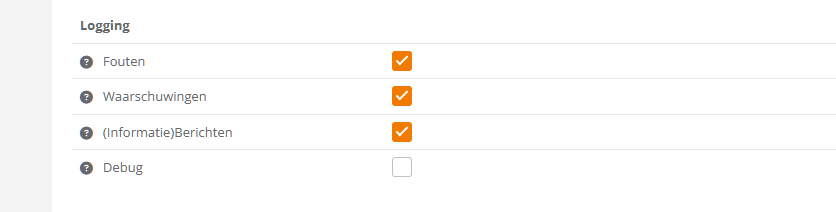
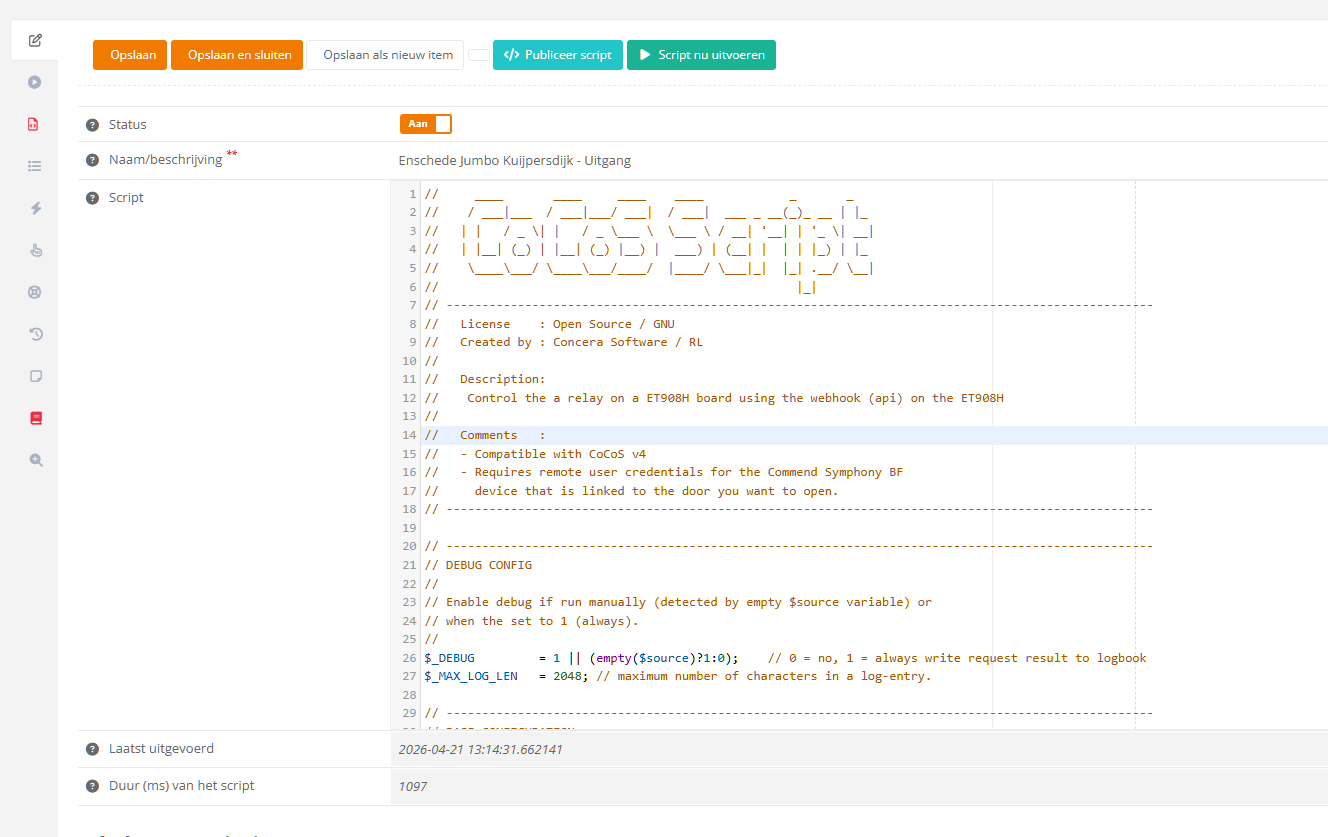
The following script can be used for one device
//     ____       ____     ____    ____            _       _
//    / ___|___  / ___|___/ ___|  / ___|  ___ _ __(_)_ __ | |_
//   | |   / _ \| |   / _ \___ \  \___ \ / __| '__| | '_ \| __|
//   | |__| (_) | |__| (_) |__) |  ___) | (__| |  | | |_) | |_
//    \____\___/ \____\___/____/  |____/ \___|_|  |_| .__/ \__|
//                                                  |_|
// ---------------------------------------------------------------------------------------------------
//   License    : Open Source / GNU
//   Created by : Concera Software / RL
//
//   Description:
// 	  Control the a relay on a ET908H board using the webhook (api) on the ET908H
//
//   Comments   :
//   - Compatible with CoCoS v4
//   - Requires remote user credentials for the Commend Symphony BF
//     device that is linked to the door you want to open.
// ---------------------------------------------------------------------------------------------------

// ---------------------------------------------------------------------------------------------------
// DEBUG CONFIG
//
// Enable debug if run manually (detected by empty $source variable) or
// when the set to 1 (always).
//
$_DEBUG 		= 1 || (empty($source)?1:0);	// 0 = no, 1 = always write request result to logbook
$_MAX_LOG_LEN 	= 2048; // maximum number of characters in a log-entry.

// ---------------------------------------------------------------------------------------------------
// BASE CONFIGURATION
//
// Device configurations:
//
$host = '10.10.10.10'192.168.0.0';     // Host / IPAddress of the device to preform
                           // the remote action on.
$remoteUsername = 'cocos'; // The username of the remote user account.
$remoteUserPassword = 'cocos'password';  // The password of the remote user account.

// Relay configurations:
$relay = 1;					// The relay to use for dooropening.
$doorOpenTimeInSeconds = 1; // The time in seconds that indicates how
                            // long the relay / door must be open for.

// ---------------------------------------------------------------------------------------------------
// INIT VARIABLES.
//
$url = 'https://'.$host.'/cgi-bin/remotecontrol/relais.cgi?relais='.$relay.'&action=dooropener&dooropentimer='.$doorOpenTimeInSeconds;

// ---------------------------------------------------------------------------------------------------
// CALL THE REMOTE DOOROPENER ACTION.
//
$urlGetResult = $cocos->urlGet($url, array(
	'Authorization: Basic '. base64_encode($remoteUsername.':'.$remoteUserPassword)
));


// ---------------------------------------------------------------------------------------------------
// WRITE INFO TO LOGBOOK
//
// If debug is enabled by assigning the value 1 or higher to the $_DEBUG variable, the script will
// write call and result data to the logbook with type info.
//
if ($_DEBUG>0){

	// clean up result by removing tabs, spaces and line breaks.
	$urlGetResult = str_replace("\t","",$urlGetResult); // remove tab
	$urlGetResult = str_replace(" " ,"",$urlGetResult); // remove space
	$urlGetResult = str_replace("\n","",$urlGetResult); // remove new line
	$urlGetResult = str_replace("\r","",$urlGetResult); // remove return

	// format single line url and result entry for the logbook.
	$info = (empty($source)?"":"SOURCE: ".$source.", ")."URL : $urlGetResult,url, RESULT : $result"urlGetResult";

	// log the request and the result.
	$cocos->logInfo(substr($info,0,$_MAX_LOG_LEN));

	// if the $info string is exceeding the limit of 240 characters.
	if (strlen($info)>$_MAX_LOG_LEN){ $cocos->logInfo(substr($urlGetResult,0,$_MAX_LOG_LEN));	}

}
2. Test the script
The code on line 26 controls if the script will output data to the logbook. If the script is in debug mode, the script will write the called url and result of the request.
To permanently enable logging, just change the value 0 before the double vertical lines || from 0 to 1. If the value is 0, the script only will run in debug mode when called manually. A manual run is detected by testing the "system" variable $source for content. If empty, the debug mode is enabled automaticly.

Run the script by pressing the [ Run Script ] button.

The script is run and will write a line in the logbook. The <code>0</code> in the respons (result) is generated by de Commend ET908H. Please consult the manual for more information on the result code.
logbook screenshot :

entry :
URL : https://10.20.1.3/cgi-bin/remotecontrol/relais.cgi?relais=1&action=dooropener&dooropentimer=1, RESULT : <xmlversion="1.0"encoding="UTF-8"><Response><Code>0</Code><Description>dooropener</Description></Response></xml>
References
| Manual for the ET908H setup for dialing via a dial plan with button 0 | Setup Commend ET908H or IM3 for dailing via CoCoS Call Handling (Button.0) |