No camera image from intercom stations
Symptoms
The intercom is correctlyonline configuredand connected, calls can be made, but fails to register with the server.
Related symptoms
The intercom displays an error indicating itthere isunablenotovideoregister.(In the intercom and in CoCoS)Calls to the intercom fail for the following reason:"Could not initiate call from 'A' to 'B' because extension 'B' is not available for calls.".
Details
You can recognize this problem when the intercom appears to be set up correctly but is unable to register to the CoCoS server. In many cases, this issue is due to an incorrect system time or a misconfiguration in the registration settings.
Log output (in Call History)
Could not initiate call from '1000' to '1001' because extension '1001' is not available for calls.

How to fix/prevent it: Check if device 'Nevenpost 2' is turned on, has a network connection, and is correctly configured to connect with the PBX device 'Asterisk'.

Extension '1001' linked to CoCoS device 'Nevenpost 2' is not available, so could not be called / initate a call.
Cause
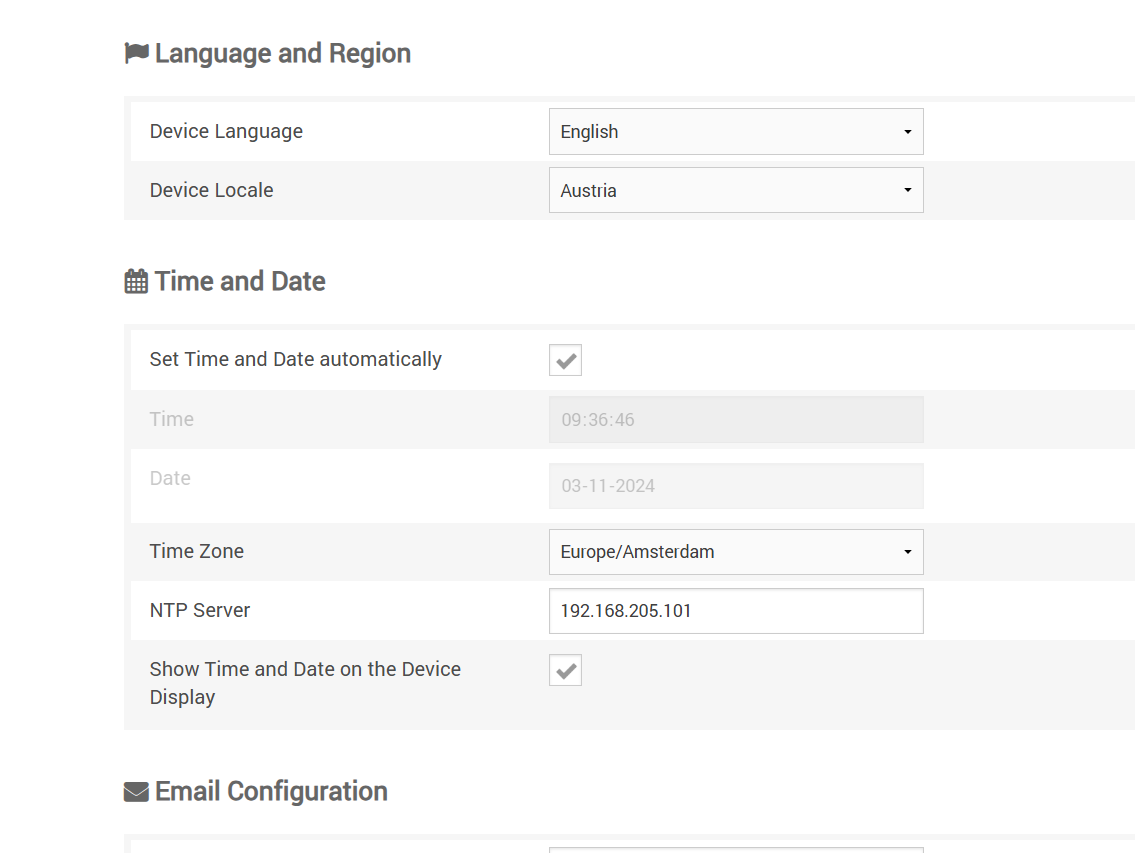
This issue can occur due to a misconfiguration of the intercom's registration settings, or it may happen when TLS is used for SIP transport with an incorrect system time. For example, if the intercom has an incorrect date (e.g., 3-11-2124, 08:29:08), the server or client might think the TLS certificate has expired, preventing the intercom from registering properly.
In some cases, an expired certificate in the Asterisk server can also trigger this issue, but this is typically resolved by renewing or replacing the certificate and restarting the server (though this is not the direct cause in this scenario).signal.
Solution / Resolution / How To
For Commend Symponey devices (like: ID5, OD1, etc.)
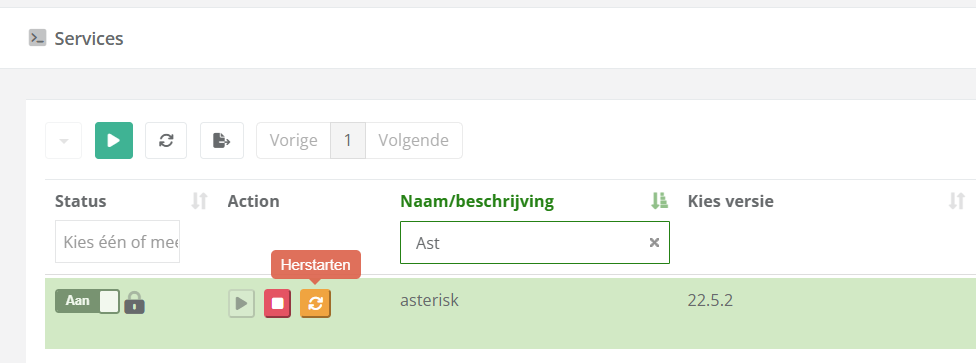
| Open the Restart the |
|
and
|  |
|
|